
Screenshots
About Kids Photo Frames :Baby Editor
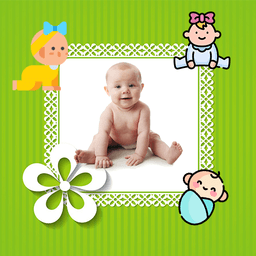
Kids photo frames are the perfect way to turn everyday snapshots into treasured keepsakes, and Kids Photo Frames :Baby Editor makes it effortless for families to create magical memories together. Designed specifically for children and parents, this intuitive photo editor combines playful creativity with powerful editing tools—no experience needed.
Capture or select any photo from your gallery, then watch it transform with over 100 HD-quality frames in portrait and landscape formats. Whether you're framing a birthday celebration, a first milestone, or a silly moment with friends, the collection spans from cute and colorful designs to fun cartoon frames that appeal to kids of all ages. Each frame is crafted to make photos pop while keeping the focus on what matters most—the joy in your child's face.
Personalization goes beyond just frames. Add custom text to commemorate special occasions, and adjust the font, size, and color to match your vision. Need to reposition your photo? Rotate, zoom, scale, and drag with complete freedom until everything aligns perfectly. The editing tools are straightforward enough for kids to explore independently, yet powerful enough for parents to create polished results.
Compatibility across all mobile and tablet screen resolutions means smooth, reliable performance whether you're using a smartphone or larger device. Once you've created your masterpiece, save it instantly to your device or share directly to social networks to celebrate with family and friends. Everything happens in one seamless workflow—no complicated steps, no hidden fees.
Kids Photo Frames :Baby Editor puts professional-quality photo editing in the hands of families without barriers. Free to download and completely ad-free in core features, it's the ideal choice for birthday frames, baby photo editing, funny moments, and everyday celebrations. Start creating today and discover how simple it is to make every photo special.
Pros & Cons
Pros
- Over 100 HD frames in multiple orientations for quick customization
- Full photo editing tools—rotate, zoom, scale, drag—without complexity
- Add custom text with adjustable font, size, and color options
- Free to download with no ads interrupting core editing features
- Works smoothly across all phone and tablet screen sizes
Cons
- Saving and sharing photos requires granting camera and storage permissions
- No mention of cloud backup; edited photos stored only on device
- Limited to photo frames and text; lacks broader editing tools like filters
- Frame library may feel repetitive after initial exploration
Related Apps

Dice Dreams™️
SuperPlay.
Roll dice, collect coins, and build your kingdom in this magical board game adventure with friends.

LEGO® DUPLO® Marvel
StoryToys
Marvel building game for kids 2–6. Play with heroes, solve puzzles, and develop skills offline.

Baby learning games for kids
Bimi Boo Kids Learning Games for Toddlers FZ-LLC
Baby learning games for toddlers aged 2–5. 30 mini-games teach colors, shapes, logic, and motor skills. Ad-free and safe.

Kids games for 2-5 year olds
Bimi Boo Kids Learning Games for Toddlers FZ-LLC
Educational games for toddlers: 60 activities with 15 characters teaching skills through play.

Baby Games: Shapes and Colors
Bimi Boo Kids Learning Games for Toddlers FZ-LLC
Educational games for toddlers: shapes, colors, matching & logic for ages 2–5 — ad-free.

Bimi Boo World: Toddler Games
Bimi Boo Kids Learning Games for Toddlers FZ-LLC
Toddler games with roleplay, character customization, and creative exploration for ages 2–6.
Latest Articles

Best AI admin task automation apps for desktop in 2026 (we tested 7)
Jul 11, 2026

Best AI coding tutor apps for desktop in 2026 (we tested 7)
Jul 11, 2026

Best apps for the *arr media stack on desktop in 2026 (we tested 7)
Jul 11, 2026

Best classic Doom source port apps for desktop in 2026 (we tested 7)
Jul 11, 2026

Best FFXIV companion apps for desktop in 2026 (we tested 7)
Jul 11, 2026